v0.13.7Patch release
Find your place in a long chat
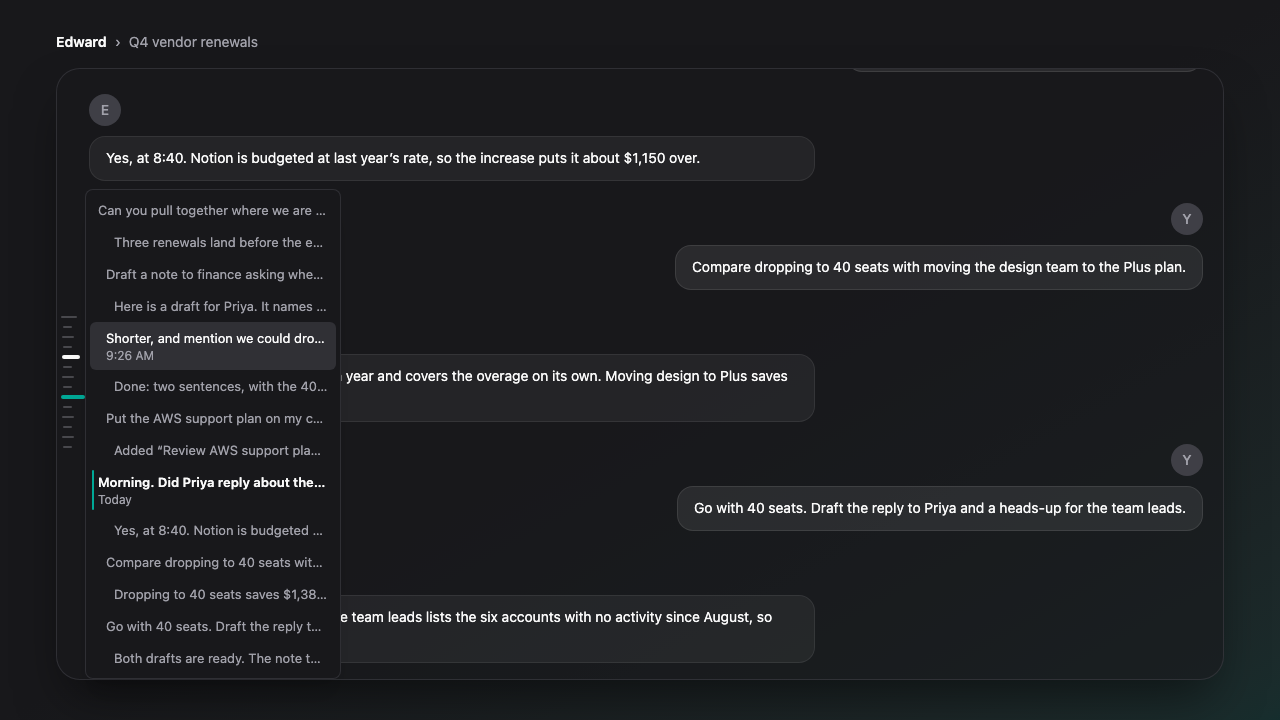
The list now lines up with the rail. Point at a mark, scroll or drag, and that turn's row sits right beside it with its time. Google Drive and Google Photos live under Add context and open their pickers in one step.
New Features
- The list of turns beside the chat rail follows the rail. Point at a mark, scroll the chat, or drag or swipe the rail, and that turn's row sits beside it, lit, with its time underneath.
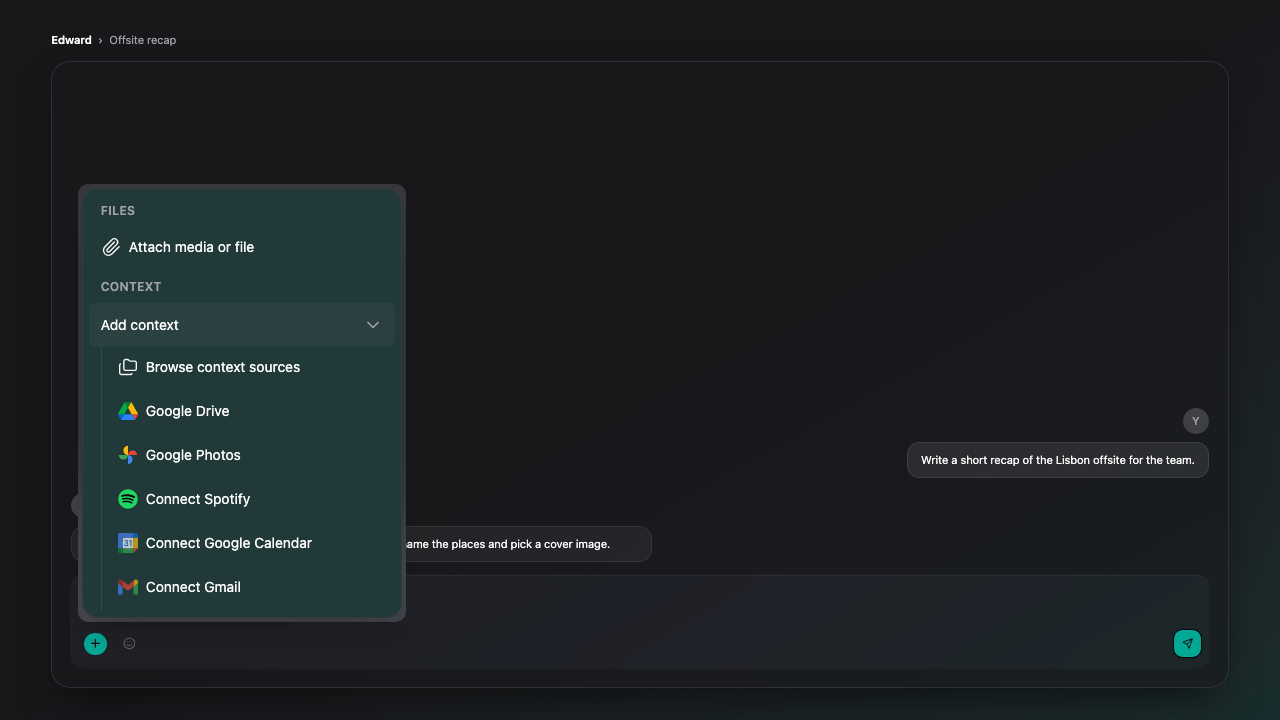
- Google Drive and Google Photos are under Add context in the composer's plus menu, each with its own icon, and open their pickers directly. When one is not connected yet, its row offers to connect it.
Improvements
- Hovering a row in the rail's list lights its mark on the rail, so you can see where that turn is in the chat.
- A link to a message now behaves like a jump from the rail. A reply that is still arriving no longer pulls you away from the message, and older messages do not load and shift it while it lands.
- Public pages load faster. The homepage, the signed-out Start page, the blog, comparisons, alternatives, Soul types, pricing, the store and collections are served ready-made and refreshed in the background. Your own account pages stay live.
- A Soul you make private leaves public listings right away.
Bug Fixes
- Fixed Google Drive and Google Photos imports going missing from the composer's plus menu.
- Fixed the Suggestions button sitting off to one side above an empty chat. It is centered over the message box again.
Limitations
- In a short chat the list cannot move past the bottom of the rail, so a row can sit a little above its mark.
- On a phone, swiping the rail moves the list only when the list is already open. Tap the rail to open it.