v0.15.10Patch release
Live voice in projects, a clearer composer, and stronger protection for your Google data
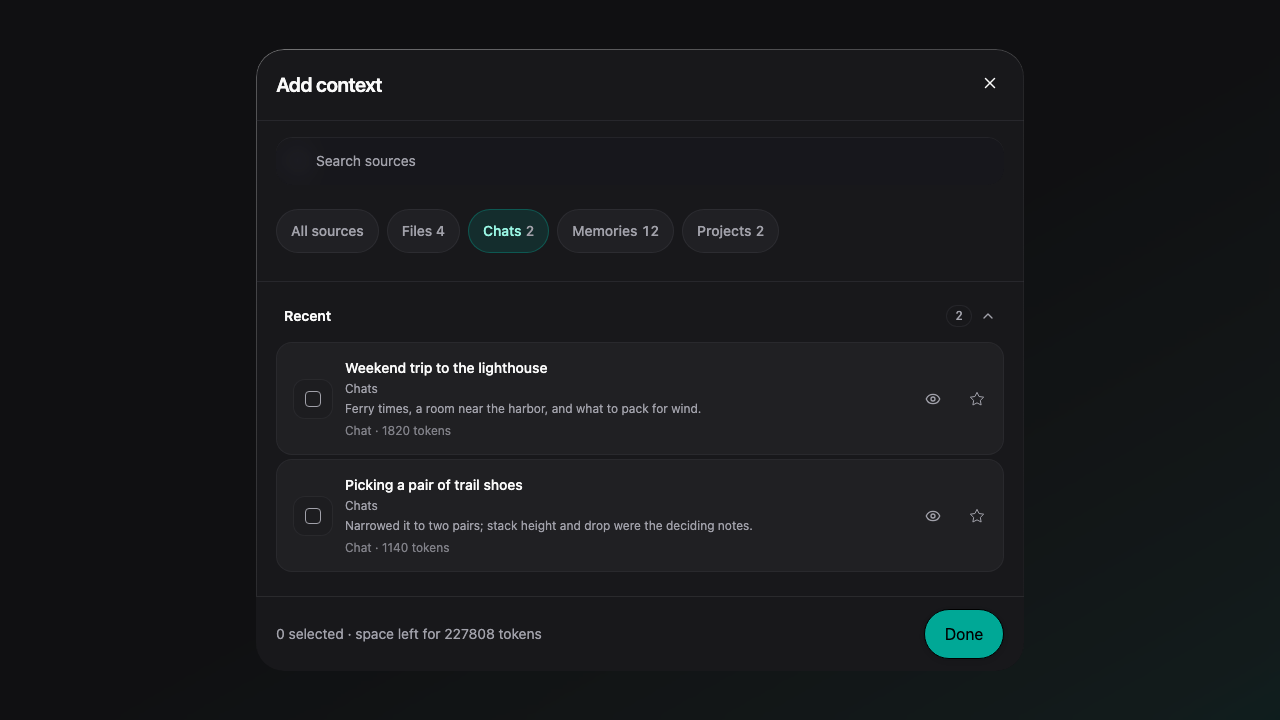
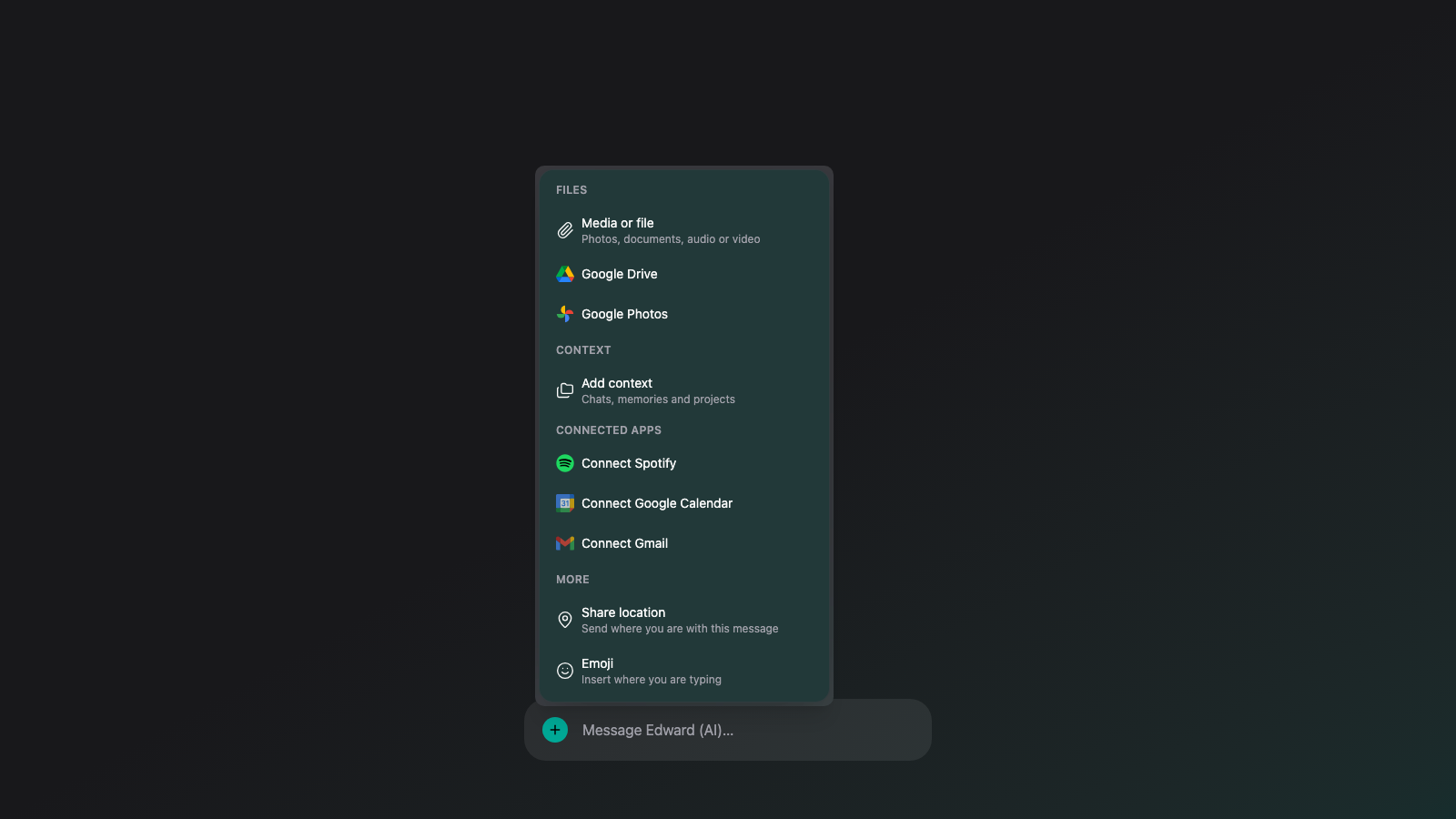
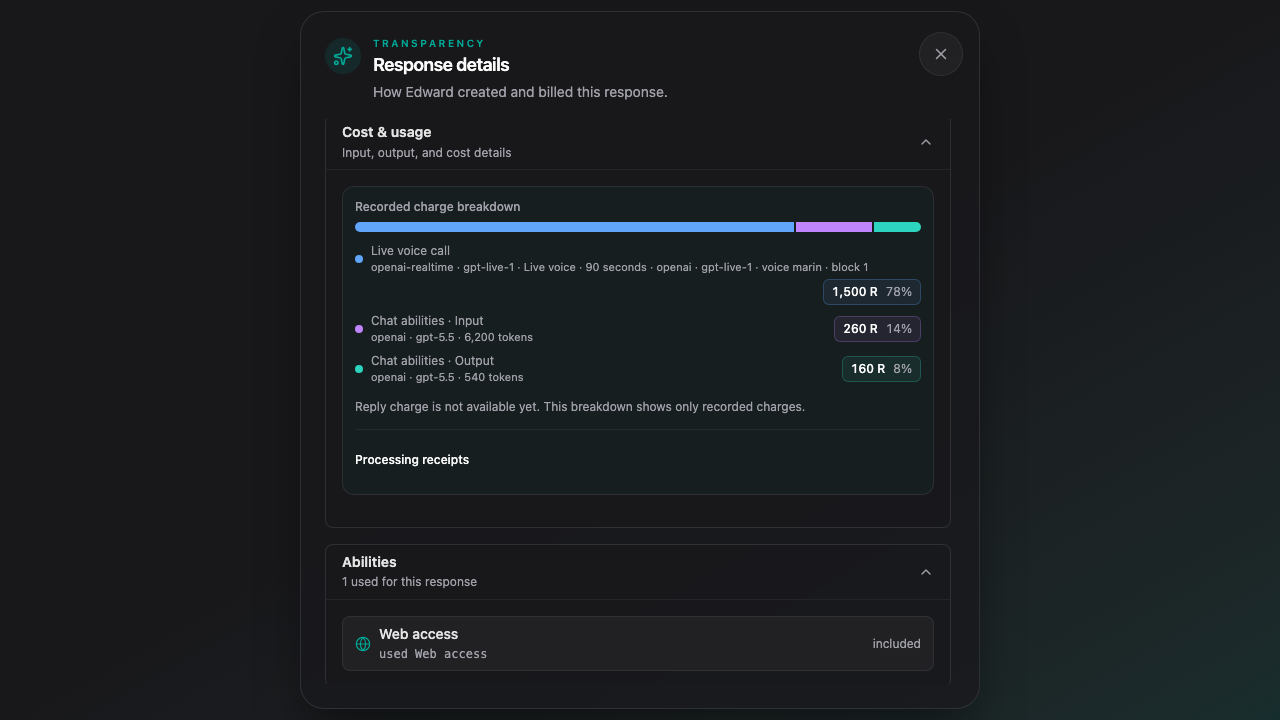
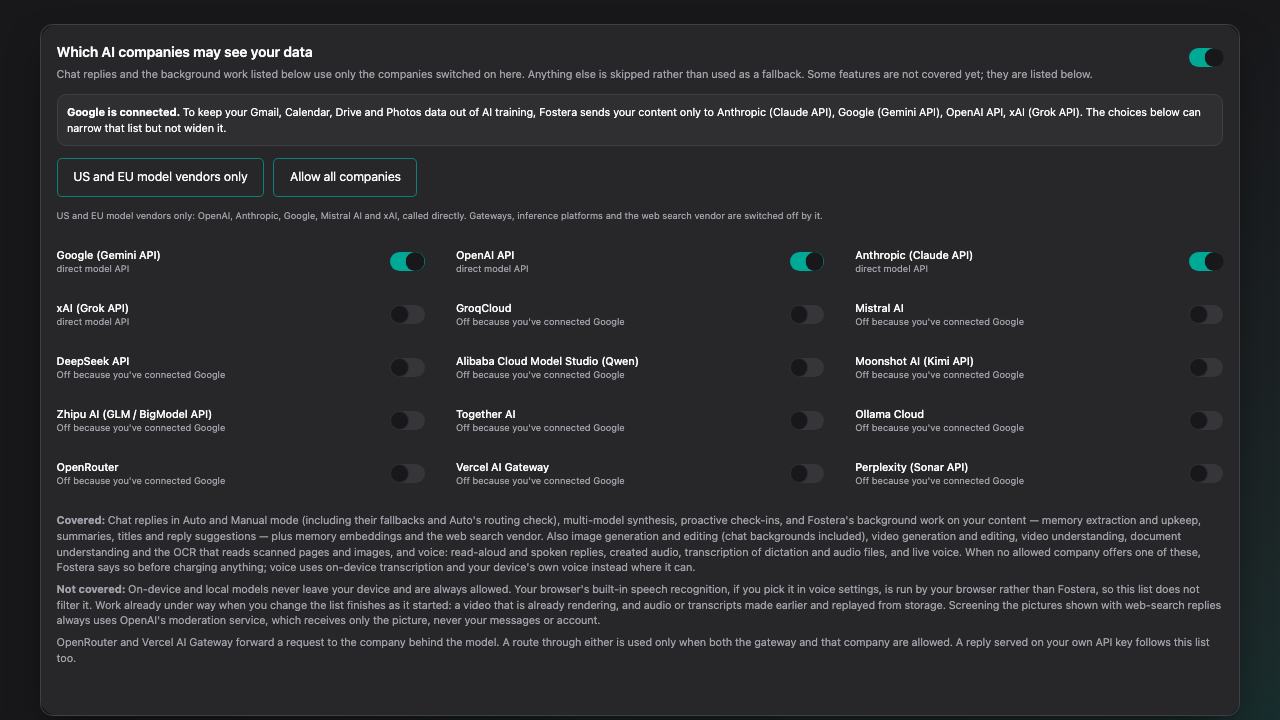
Live voice now works in project chats, carrying the project's instructions and memory. The Add menu is grouped into Files, Context, Connected apps and More, and Add context filters with a row of chips and previews files in one tap. A live voice reply's details itemize the call and the abilities your Soul ran. Once you connect Google, your content goes only to Anthropic, Google, OpenAI and xAI, and Settings says so.
New Features
- Live voice now works in project chats, using the project's instructions and memory.
- Add context has filter chips for Files, Chats, Memories, Projects and more, with counts and a one-tap Show all.
- Souls can attach generated images and videos to social posts.
- Once you connect Google, your content goes only to Anthropic, Google, OpenAI and xAI, and Settings shows why.
Improvements
- The Add menu is grouped into Files, Context, Connected apps and More.
- Picking a file's eye in Add context opens the real preview in one tap.
- A live voice reply's details itemize the call and the abilities your Soul ran.
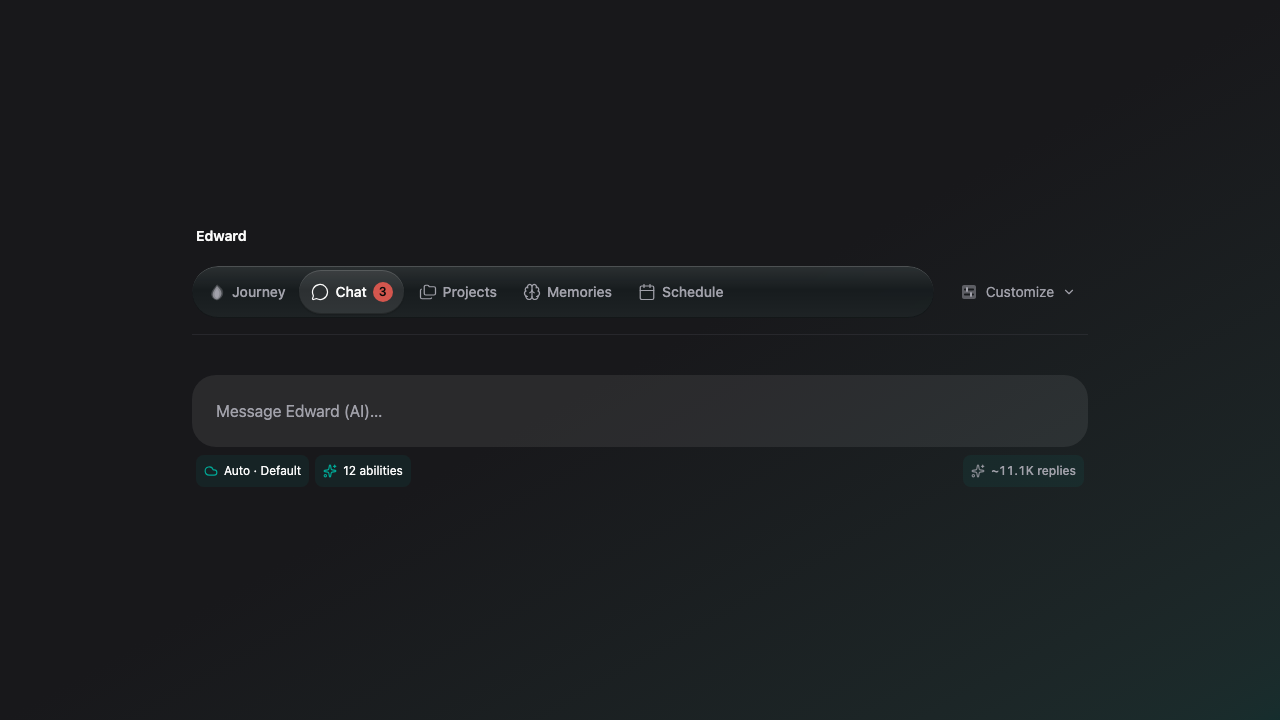
- Cloud Auto shows one chip, with the cloud or this device as its icon, and the replies count sits at the right of the composer row.
- The Soul page tabs use a glass strip with an unread badge on Chat.
- The account menu has icons, and your name and avatar are left-aligned in the sidebar.
- Screenshots on the Updates page are spaced apart.
- The projects page is tidier, and the AI break reminder is hidden for confirmed adults.
Bug Fixes
- Fixed a second Resume task replaying the first instead of starting a new turn.
- Fixed the Continue info button doing nothing when tapped on a phone.
- Fixed composer chips being cut off at half width.
- Fixed a deleted or hidden public Soul staying visible on Discover and its public page for up to an hour after an admin change or an account was erased.
Limitations
- Live voice is for Premium adult accounts, and in a project chat it carries the project's instructions and memory but not its file list.
- After you connect Google, the limit on which AI companies see your content stays on, even if you disconnect later, because content from Google can stay in your chats and memories.