v0.16.0Minor release
Replies that stream as they're written, and change your Soul from the chat
Replies now appear word by word from the moment your Soul starts writing, and they keep going if you close the tab. Ask in any chat to change your Soul or its settings, and a Proposed changes card shows each change as now and proposed; nothing changes until you tap Apply. When web search or another ability is blocked by a setting you control, a card under the reply lets you allow it or turn it on, then try again. Your Soul's memories also get a Map tab, and pictures from a web search can be swiped through in the viewer.
New Features
- Replies appear word by word from the moment your Soul starts writing, and keep going if you close the tab.
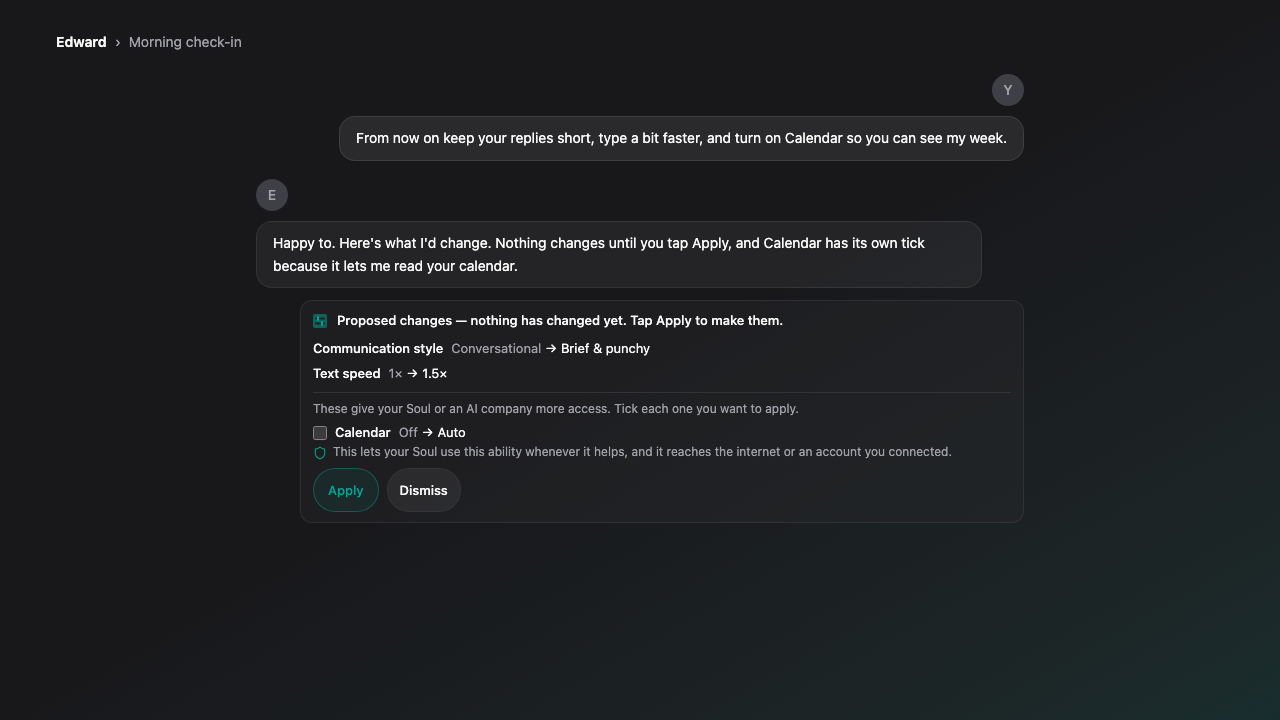
- Ask in a chat to change your Soul or its settings, and apply the proposed changes with one tap. Nothing changes until you tap Apply.
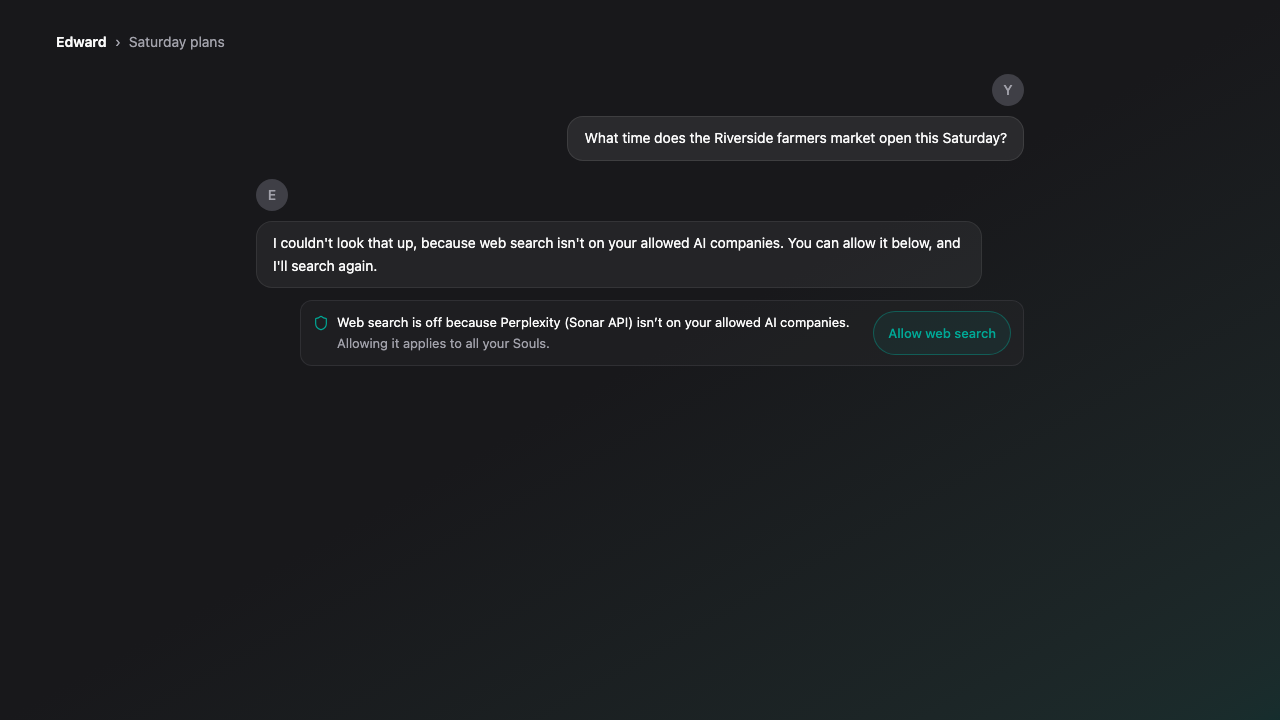
- When web search is blocked by your allowed AI companies, or an ability is off for a Soul, a card under the reply lets you allow it or turn it on, then try again.
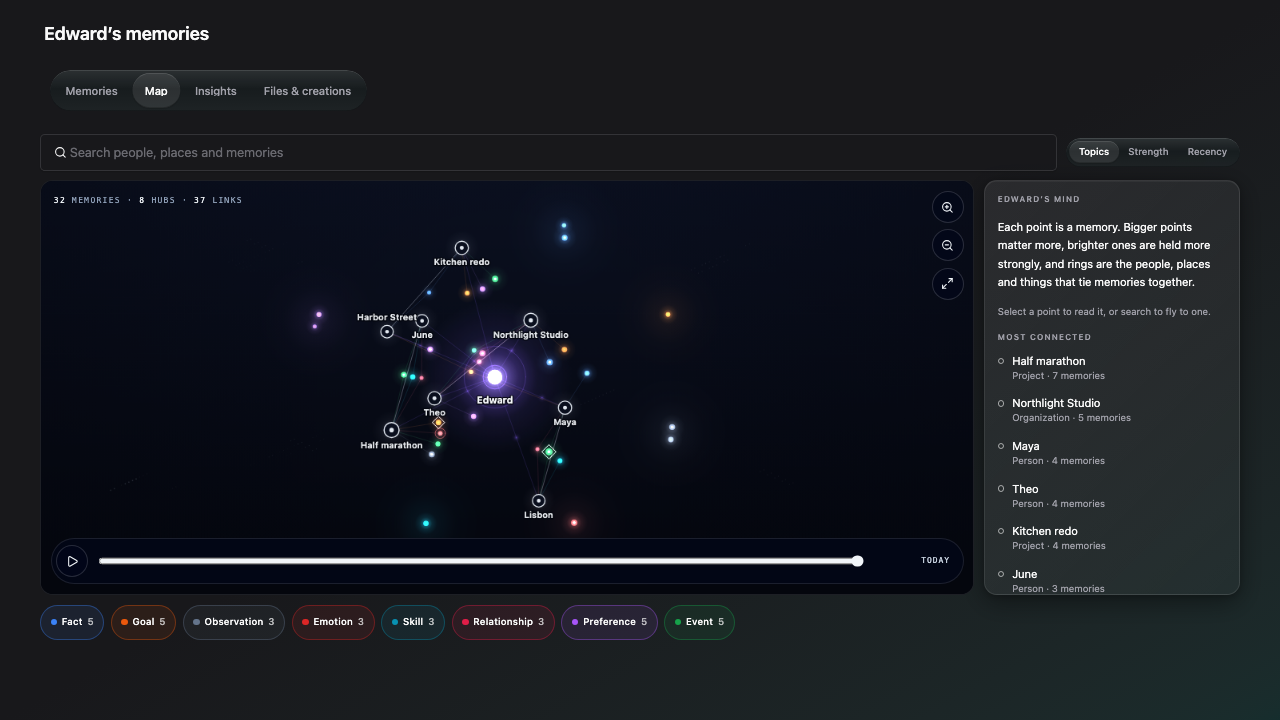
- A Map tab on Soul and project memories pages draws memories as a map you can search, filter by topic and replay over time.
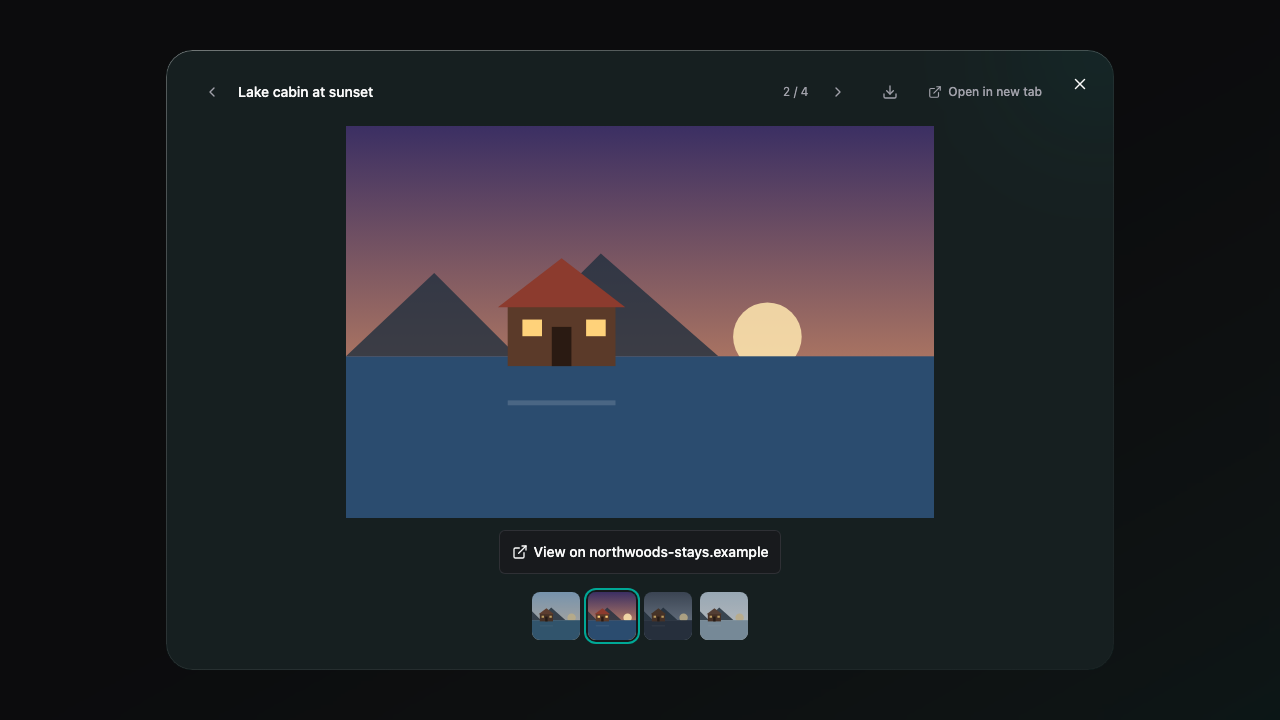
- Swipe through pictures from a web search in the viewer, with a strip of thumbnails.
Improvements
- Replies that search the web, read a page, recall a memory or check the weather or a map now appear as they're written on adult accounts.
- Your Soul can use its abilities from an ordinary message, so a plain "yes please" after it offers to look something up now works.
- The typewriter keeps pace with the reply instead of falling behind, and the placeholder shows the moment you send.
- Chat pages get ready to reply as they open, so replies start sooner.
- The Soul page puts the composer on the first screen, with Level, Stage and vitals in one strip, a tab row that fits its tabs, and a matching Customize menu.
- Live voice calls keep the screen awake, and a call that ends because the app went to the background says so.
- Each live voice reply's details show its own share of the call instead of the whole call.
Bug Fixes
- Fixed the Privacy and Terms pages showing an error when opened from the sidebar.
- Removed the duplicate replies count from the Home top bar; it stays in each chat's composer.
- Fixed a project's brief sometimes failing to update after files were added or deleted.
- Fixed the Store sometimes showing no items for a few minutes after a slow moment.
Limitations
- Your Soul proposes changes only for lasting requests, like "from now on" or a setting you name, not for a one-off ask about a single reply, and not in a Quick chat.
- Changes that give more access, like another AI company, the internet, a permission, mature content or check-ins, start unticked, and members who are not verified adults can't turn them on from a chat.
- If you've connected Google, web search can't be allowed, because your content then goes only to a short list of AI companies; the card explains why instead of offering a button.
- On accounts under 18, or without a confirmed age, each reply still appears once it's finished, so it can be checked first.